YOUR MAC'S
HOURS,
ACCOUNTED FOR.
Private Screen Time analytics for macOS: exact hours, distracting windows, browser patterns, and exportable reports. No cloud sync. No app account. No telemetry.
Buy the app.
Not your data.
Not another subscription.
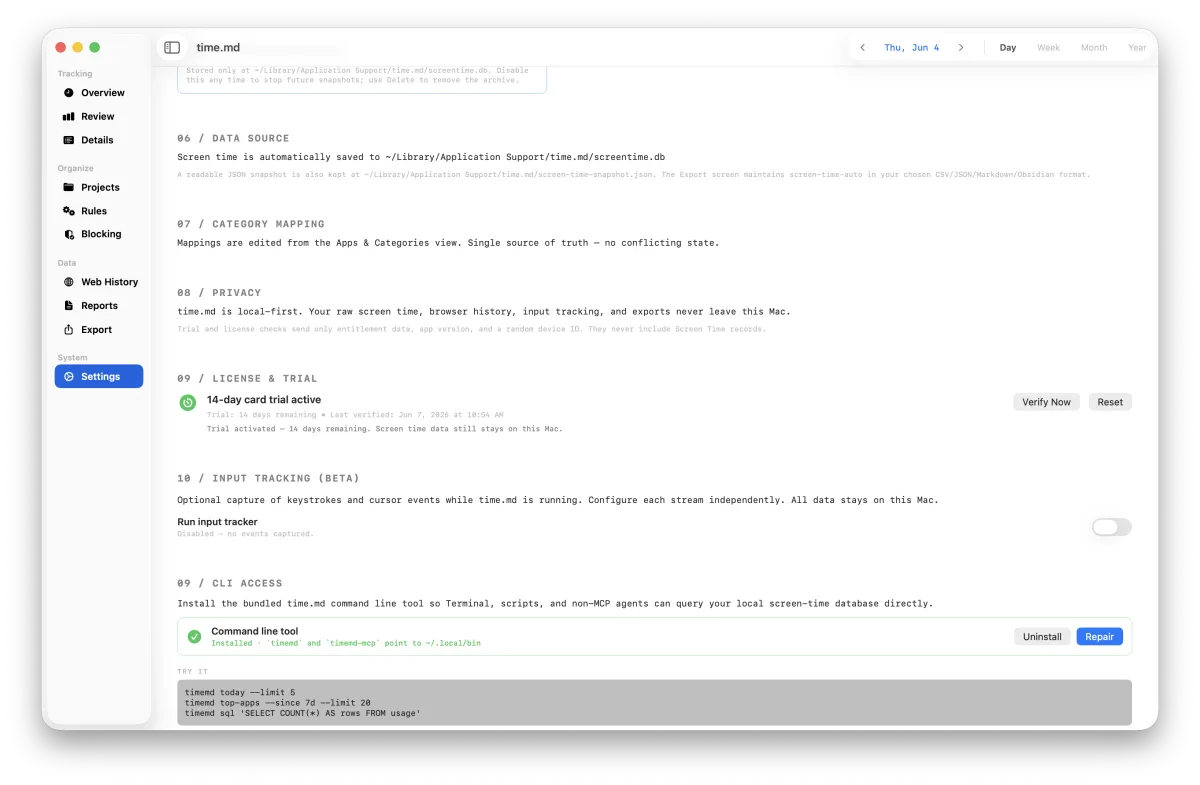
time.md is a direct-distribution macOS app for people who need proof, not vibes: exact daily hours, session timelines, browser patterns, category rules, and files you can export. The current public build downloads from GitHub Releases while the static site avoids broken API checkout endpoints.
DOWNLOAD
Install the signed, notarized v2.5.0 macOS release from GitHub Releases.
TRIAL
Use the 14-day trial path to evaluate real local dashboards, exports, and browser history on your Mac.
LICENSE
Keep using time.md with a one-time $19.99 desktop license. No app account, no subscription, no activity upload.
Everything you
need. Nothing
you don't.
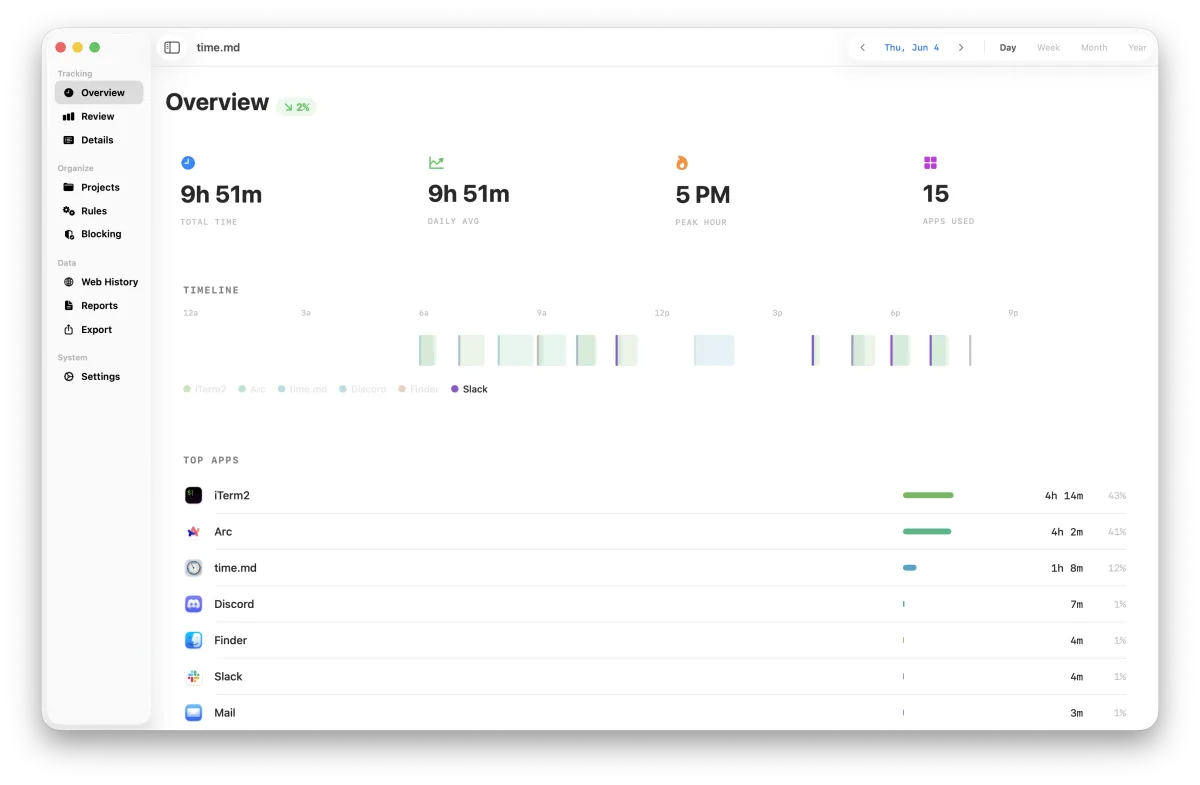
OVERVIEW DASHBOARD
Total time, daily averages, focus blocks, and streaks — all at a glance in a precision-designed metric strip.
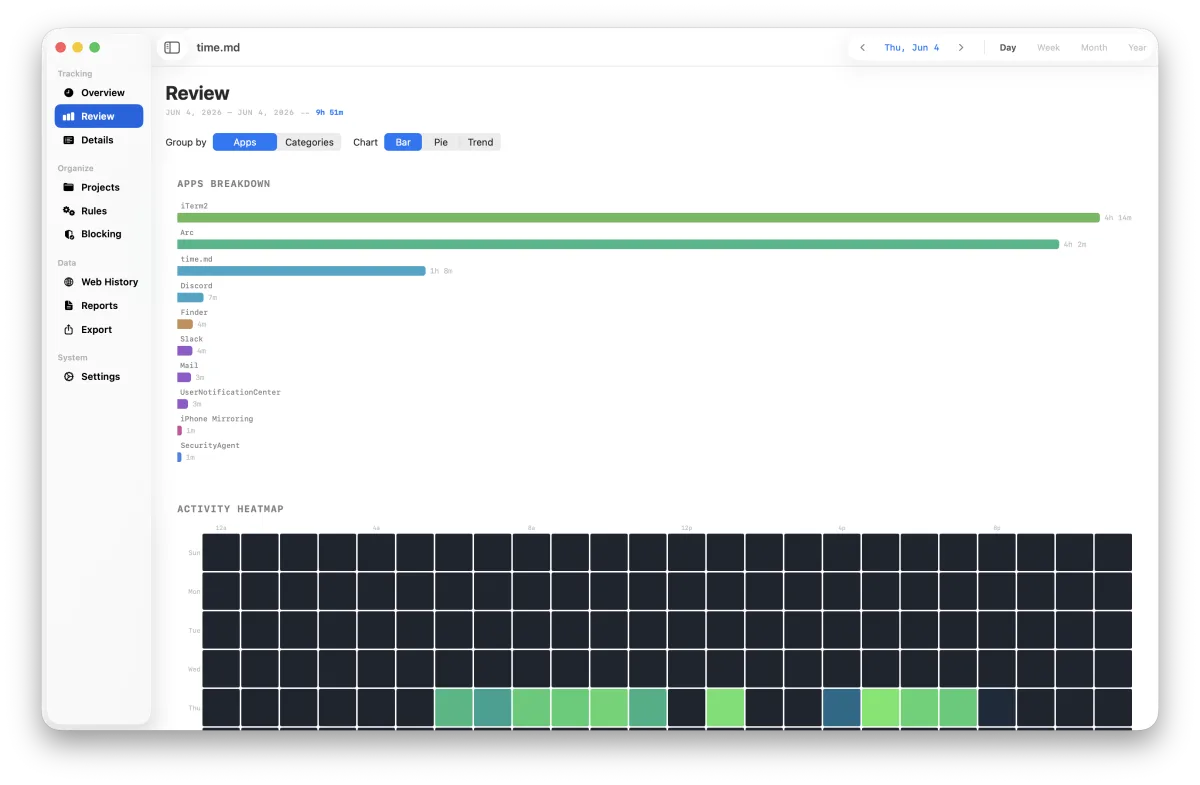
CALENDAR HEATMAP
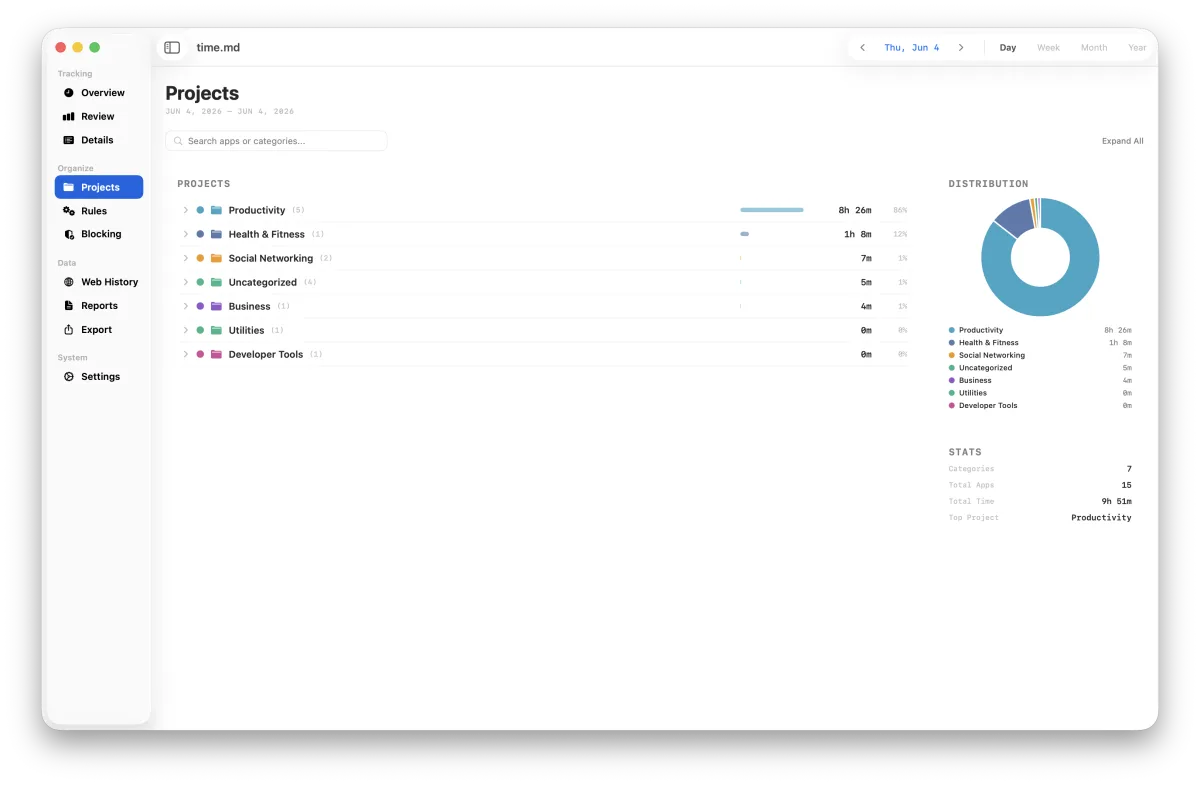
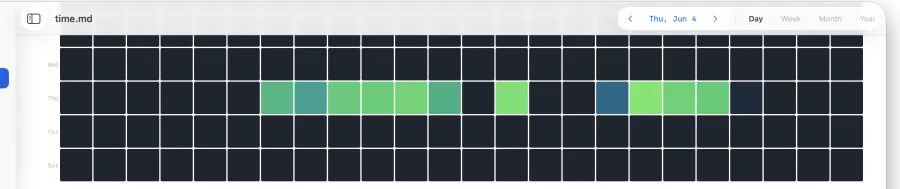
Year, month, week, and day views. See exactly when and where your time goes with intensity-mapped calendar grids.
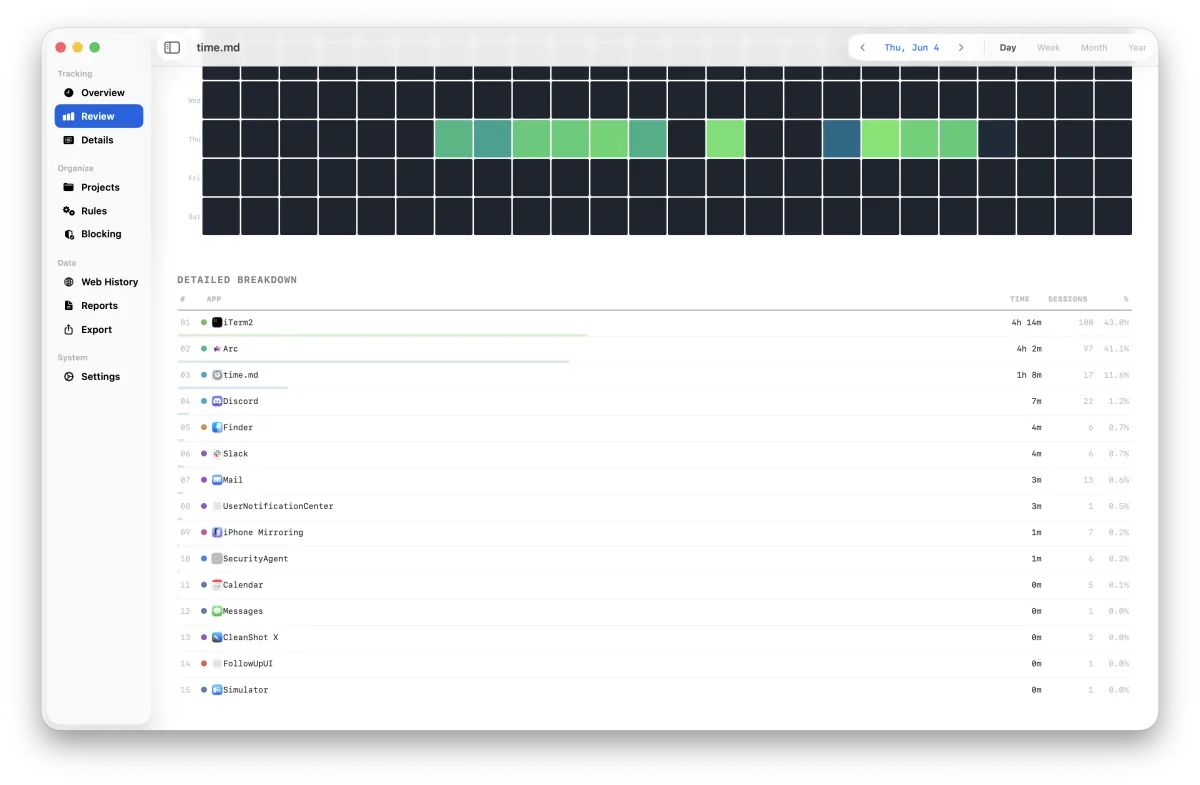
TOP APPS BREAKDOWN
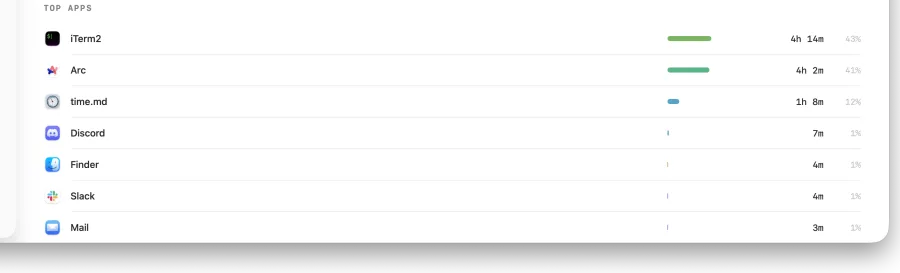
Ranked usage tables with session counts, percentage bars, and stacked category charts. Know exactly what eats your time.
TRENDS & PATTERNS
Interactive area charts with hover inspection, drag-brush selection, and zoom presets. Spot patterns across any timeframe.
DISTRACTING HOURS
Weekday × hour heatmap reveals your most distraction-prone windows. Select work hours or evening presets to cross-filter.
FOCUS STREAKS
Track consecutive focus days with current and longest streak counters. Aggregate by week or month for the bigger picture.
EXPORT ANYWHERE
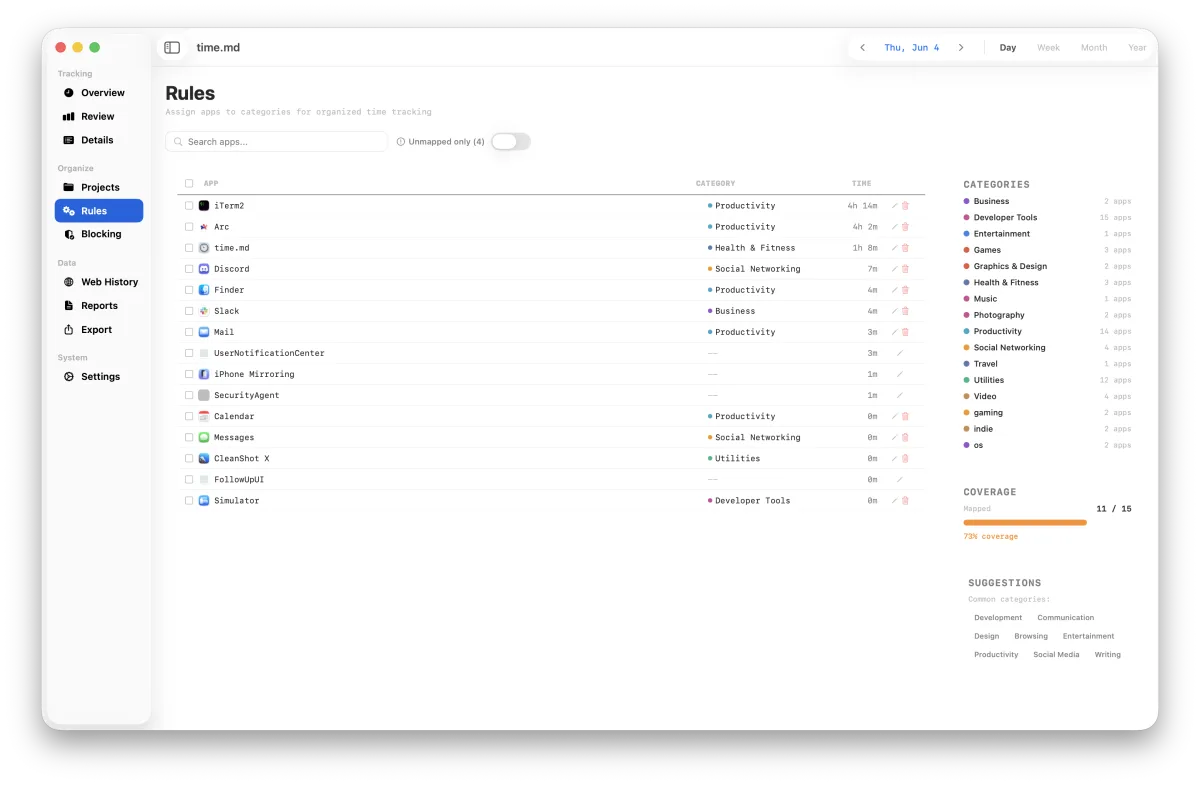
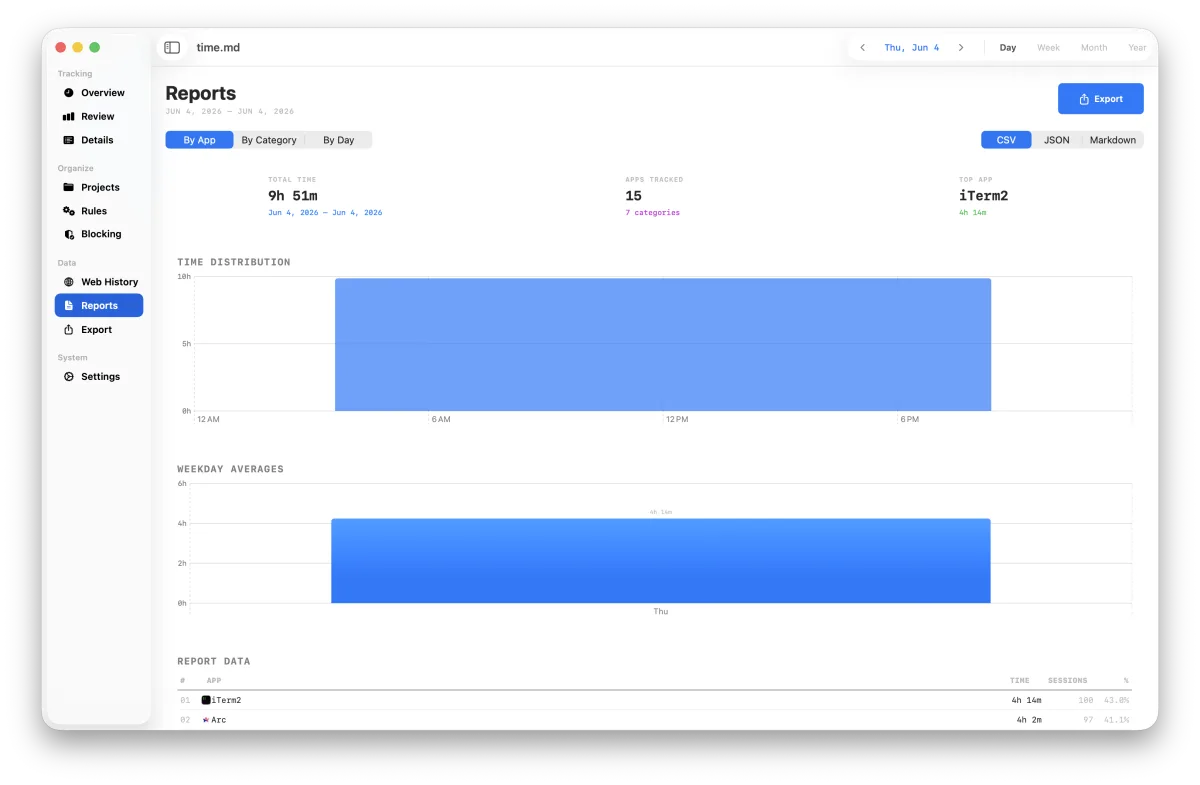
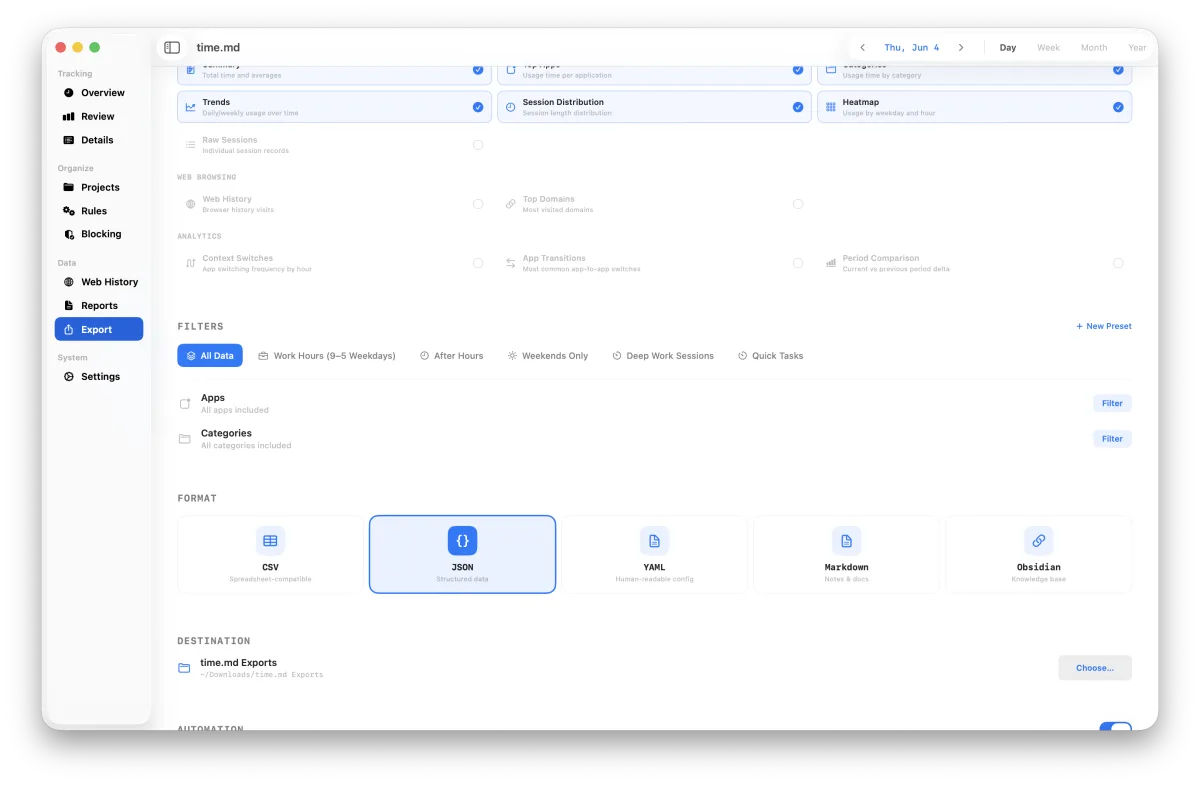
Export CSV, JSON, YAML, Markdown, or Obsidian notes. Scope exports to your filters, apps, categories, sections, and date range.
LOCAL AUTO-SAVE
Keep a readable JSON snapshot and live screen-time-auto export refreshed locally for scripts, notes, and automation.
Three steps.
Zero friction.
DOWNLOAD
Grab the current direct-release ZIP, move time.md to Applications, and open it on macOS 14 Sonoma or newer.
GRANT ACCESS
Give Full Disk Access so time.md can read Apple's local Screen Time and browser history databases. The data remains on-device.
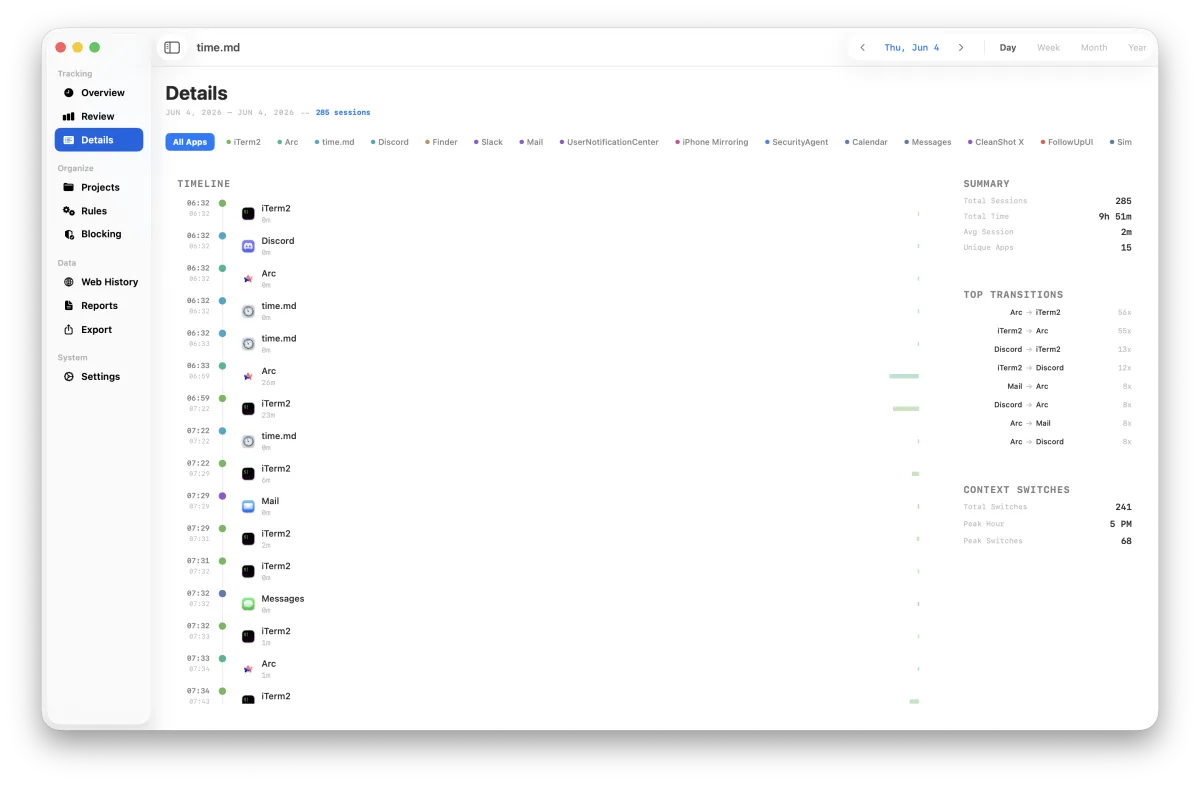
REPORT
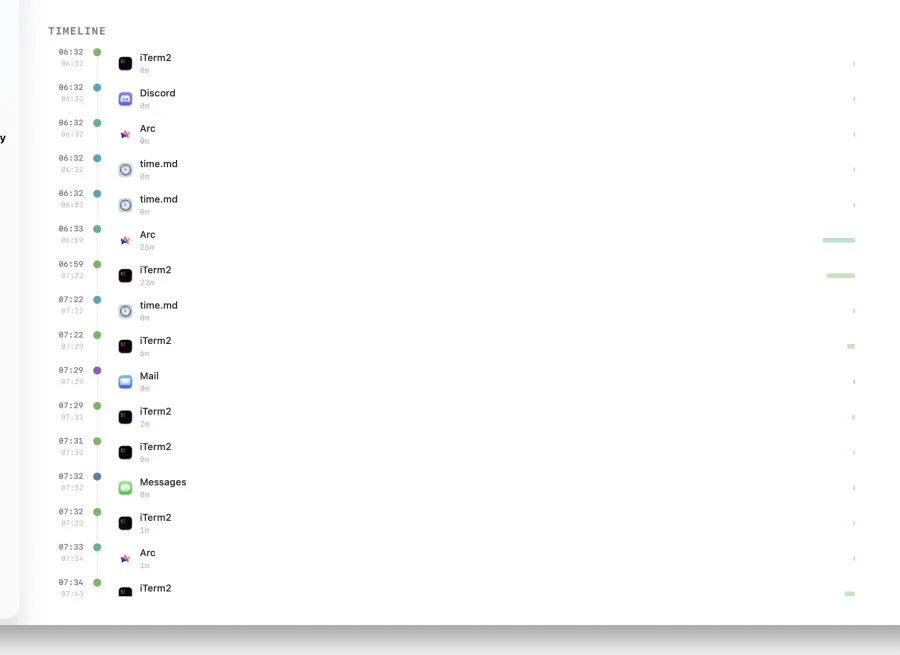
Filter by app, category, date range, or hour. Export CSV, JSON, Markdown, or Obsidian reports when you need receipts.
Brutally
beautiful.
MONOSPACE TYPOGRAPHY
Technical. Precise. Every character counts.
ICE BLUE PALETTE
Pale blue backgrounds, white card surfaces, utility blue accents. Clean and clinical.
ZERO DECORATION
No gradients. No shadows. No rounded corners. Just borders, data, and precision.
TEENAGE ENGINEERING-INSPIRED
Built for people who appreciate raw, utilitarian design.
Real product
surfaces.


Your data stays
on your machine.
Period.
LOCAL SQLITE
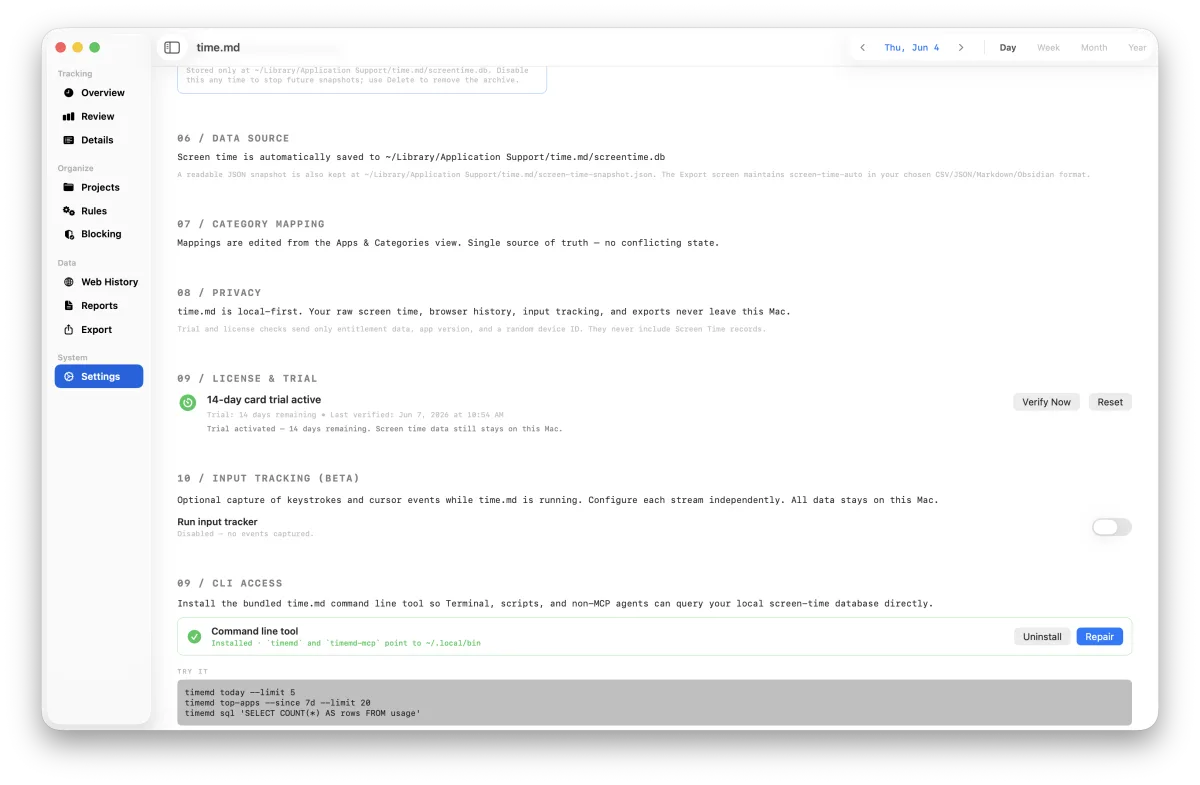
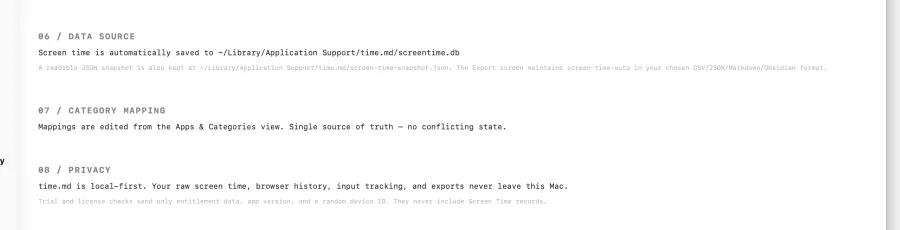
All data lives in a local SQLite database on your Mac. Reads from Screen Time's own data store.
NO TELEMETRY
Only license/trial validation and update checks go online. No analytics SDKs. No crash reporters. No screen-time uploads.
NO APP ACCOUNT
The desktop app has no sign-up, no password, and no product analytics account. License/trial validation never includes your usage database.
Built for the
intentional.
DEVELOPERS
See how much time you actually spend in Xcode vs. browsing Stack Overflow. Optimize your focus blocks.
FREELANCERS
Track billable app usage across projects. Export CSV reports for clients with exact session data.
STUDENTS
Identify your most distracting hours and apps. Build study streaks with the focus tracker.
DIGITAL MINIMALISTS
Understand your relationship with technology. Cold, hard data — no judgments, no gamification.
Every question.
Answered.
GETTING STARTED
Install time.md, complete onboarding, activate a trial or license, grant Full Disk Access, and confirm data is flowing.
PERMISSIONS GUIDE
Understand exactly why macOS asks for Full Disk Access, Accessibility, Input Monitoring, or admin approval.
EXPORT WORKFLOWS
Use CSV, JSON, YAML, Markdown, Obsidian, live auto-export, scheduled exports, and filtered reports.
TROUBLESHOOTING
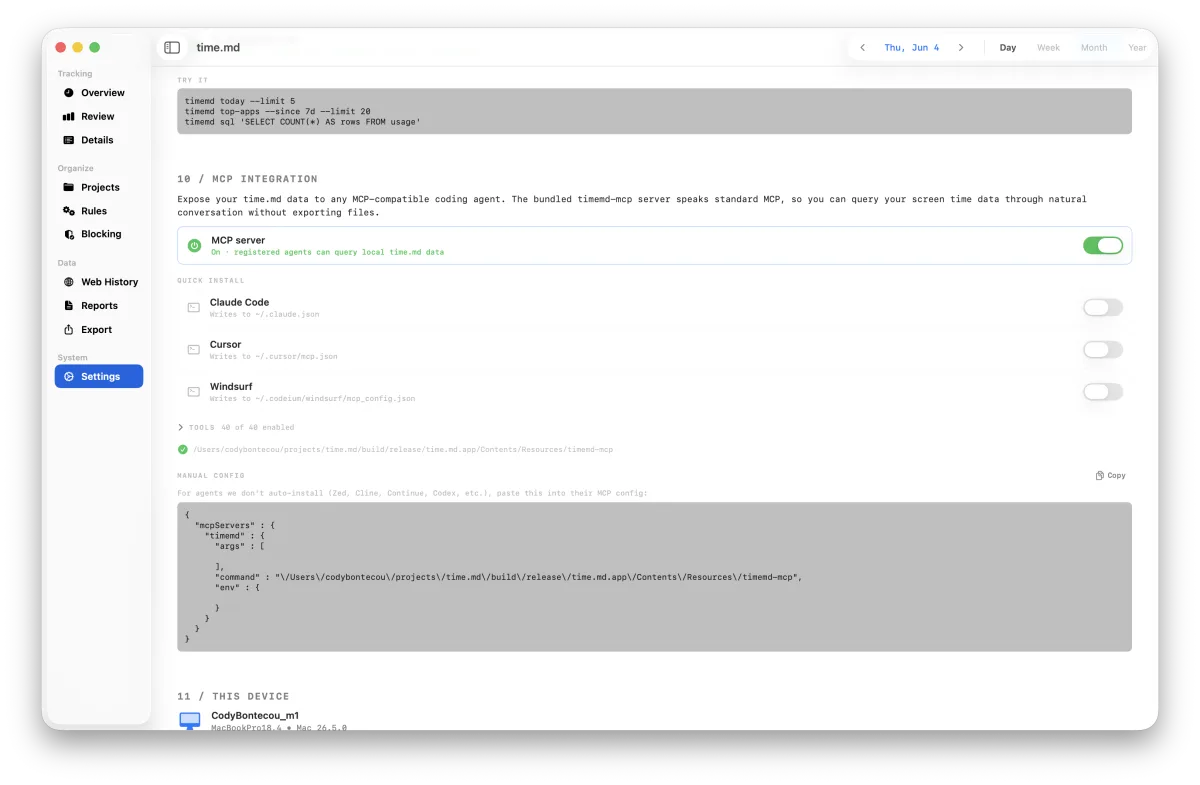
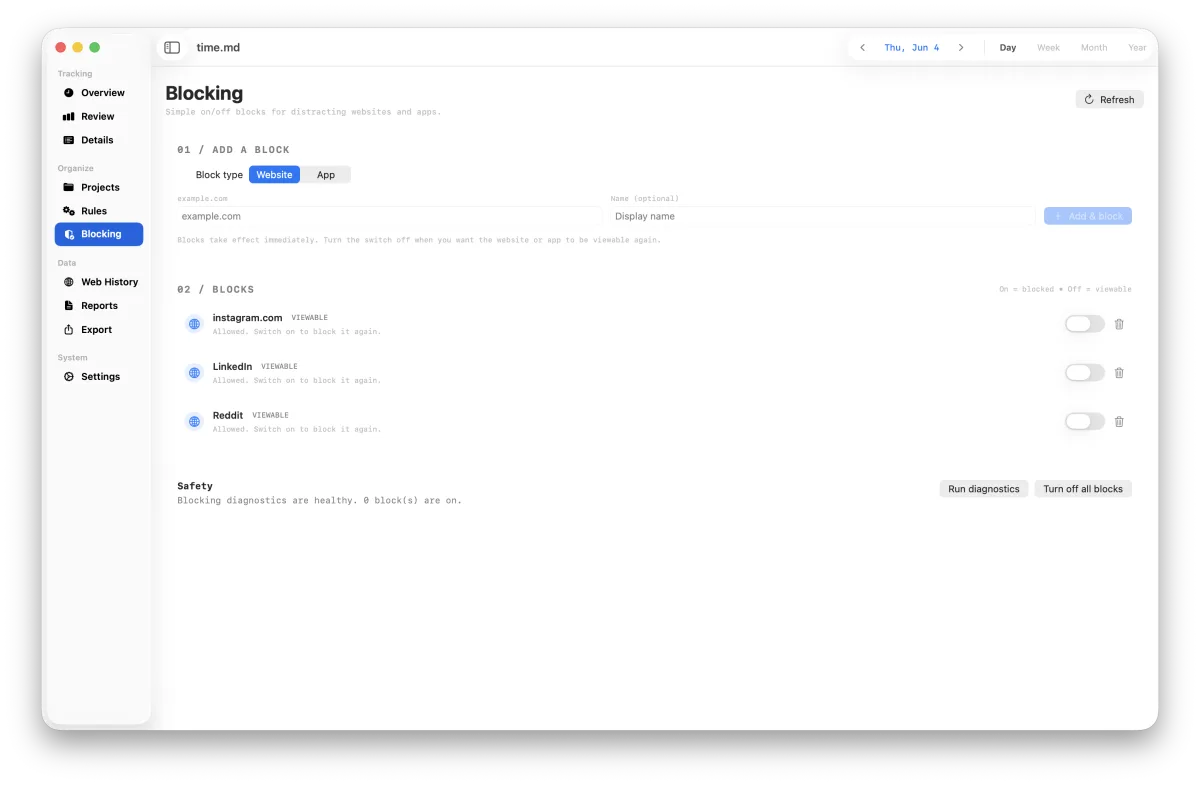
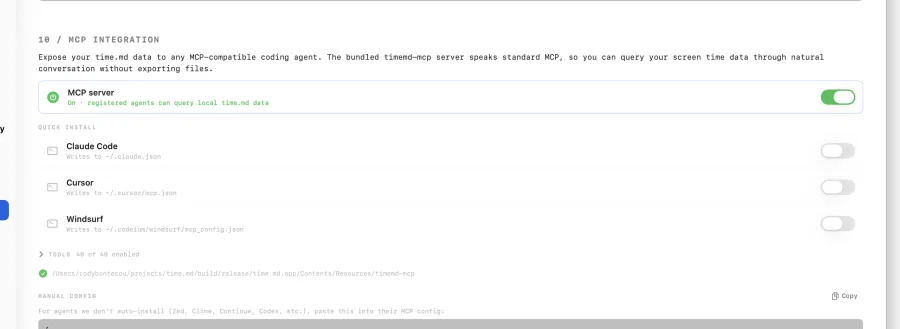
Fix empty data, missing browser history, activation issues, blocked sites, input tracking, CLI, and MCP setup.
The questions
serious buyers ask.
Does time.md upload my Screen Time data?
No. Raw Screen Time sessions, browser history, optional input tracking, categories, and exports stay on your Mac. Entitlement checks send only license/trial fields such as a key or token, app version, and a random device ID.
Why does it need Full Disk Access?
macOS protects Apple's local Screen Time database and browser history files. Full Disk Access lets time.md read those local databases for analysis. It does not give time.md permission to upload them.
Which browsers are supported?
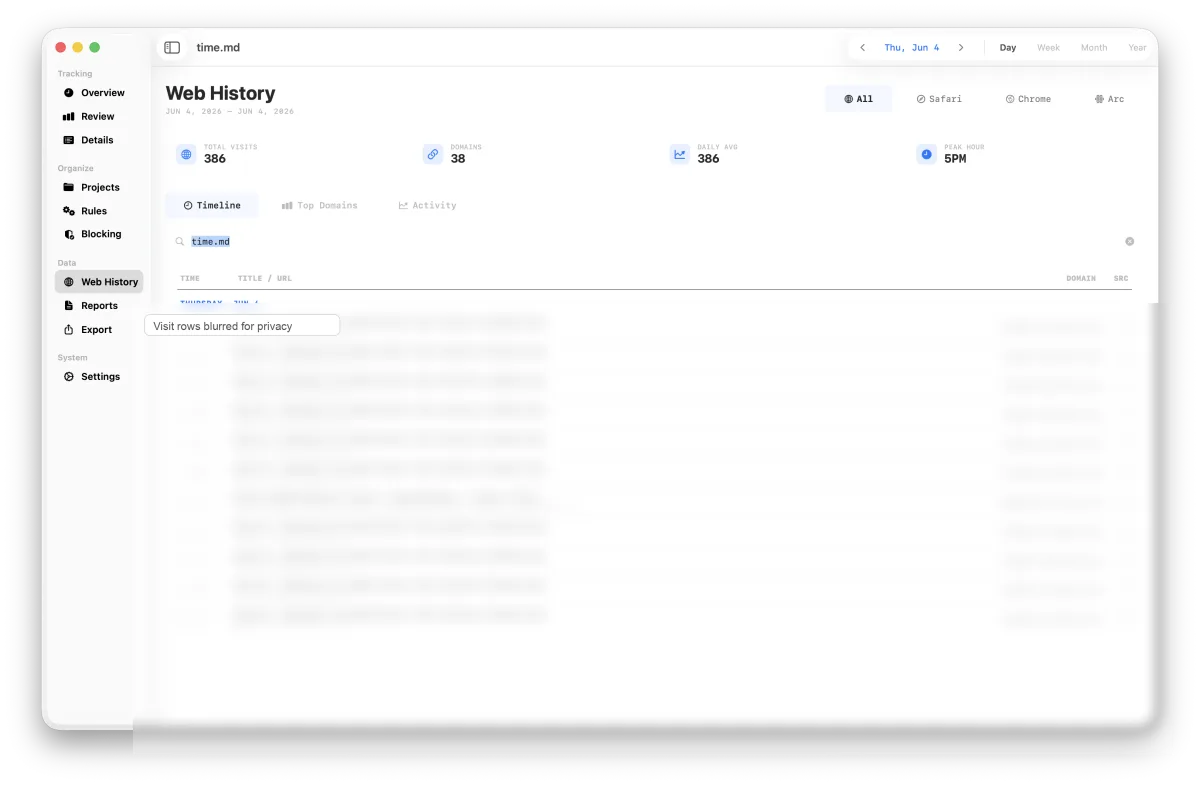
Safari, Chrome, Firefox, Arc, Brave, and Edge are supported when their local history files are present and readable. Private/incognito windows generally do not appear because browsers avoid writing them to normal history.
Is this a subscription?
No. The visible purchase model is a 14-day trial followed by a $19.99 one-time macOS desktop license. There is no app account and no recurring subscription.
Which macOS versions work?
time.md targets macOS 14 Sonoma or newer. The current public release is v2.5.0 for macOS.
Is the app signed and notarized?
The release pipeline builds, notarizes, zips, and publishes the macOS app for direct distribution. Sparkle update metadata is signed so installed apps can verify updates.
Can I use it offline?
Local analytics, exports, and review workflows run on your Mac. Initial trial setup, license activation, and update checks need internet access; cached paid activation can continue through temporary verification failures.
How is this different from Apple Screen Time?
Apple Screen Time is a summary view. time.md is an analysis workbench: session timelines, heatmaps, custom categories, browser history context, CLI/MCP access, and CSV/JSON/YAML/Markdown/Obsidian exports.
How do refunds or support work?
Email [email protected] for activation, receipt, duplicate-charge, download, or refund questions. Do not send your full Screen Time export unless you explicitly want it reviewed.
Why does the license button open email?
The live static Pages deployment currently serves homepage HTML for the old API checkout routes. Until that Cloudflare Function path is wired, the site uses a safe support CTA instead of sending buyers into a broken endpoint.
TRY FREE.
OWN YOUR TIME.
Download the current macOS build. Trial for 14 days; keep it with a $19.99 one-time license.
Your screen time data, dissected locally with industrial precision.